
Join the TxFlow Platform (Referral Code: TXSYNDICATE)
Cooldown period: NoneNone
Rewards
All
150Create your TxFlow account with the Syndicate code TXSYNDICATE. The code is the whole point of this quest: it unlocks mainnet, gives you 5% off trading fees, and it is how TxFlow and Syndicate know you came from this campaign. Accounts created without TXSYNDICATE are not approved, there is no exception.
how to do it:
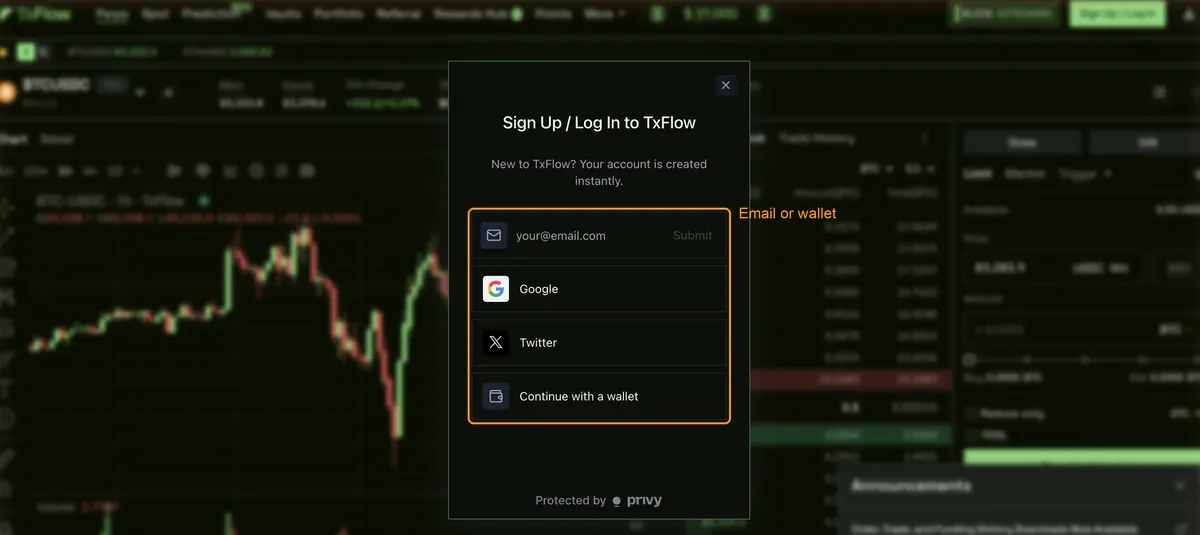
- Open app.txflow.com and press Sign Up / Log In at the top right
- Log in with your email, or connect an EVM wallet like MetaMask or Rabby. Do not use an Account Abstraction wallet, TxFlow says funds deposited from one can get locked
- With a wallet, press Enable Trading and sign the gas-free message
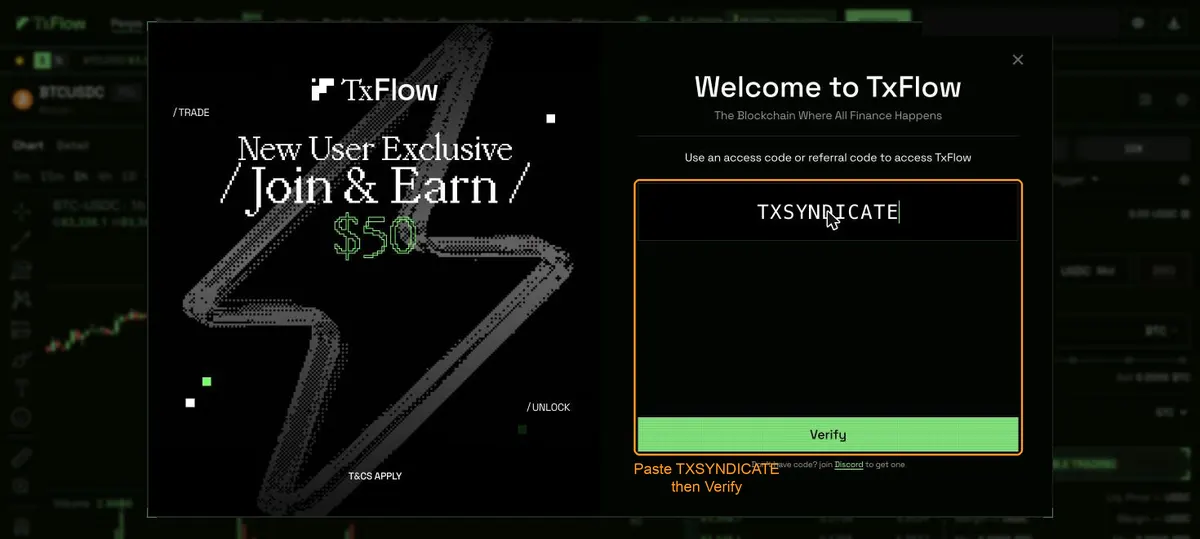
- In the "Welcome to TxFlow" window, paste TXSYNDICATE into the code field and press Verify
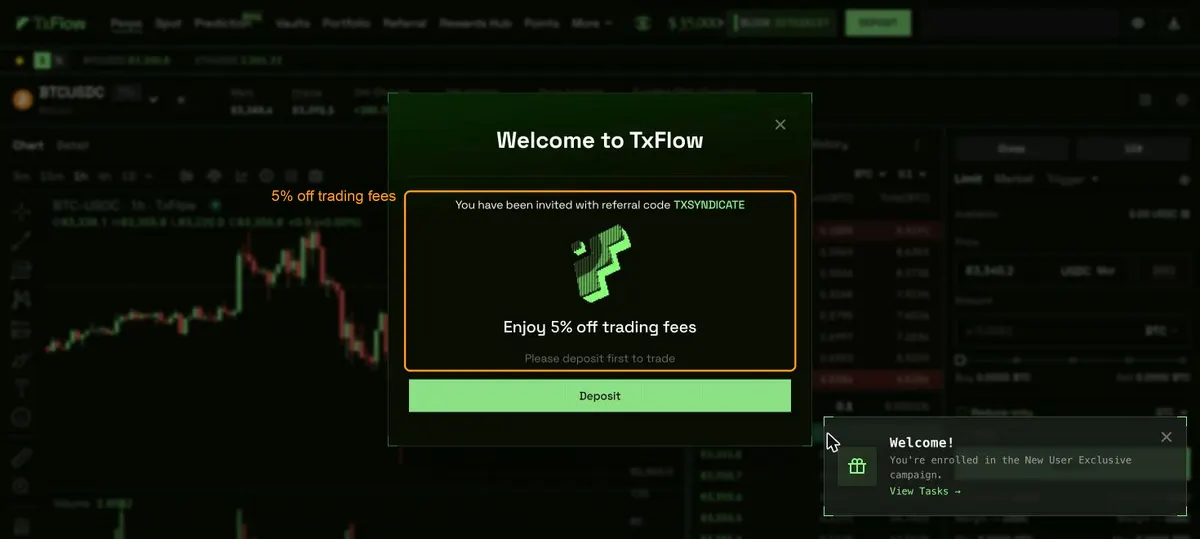
- TxFlow confirms it: "You have been invited with referral code TXSYNDICATE" and "Enjoy 5% off trading fees"
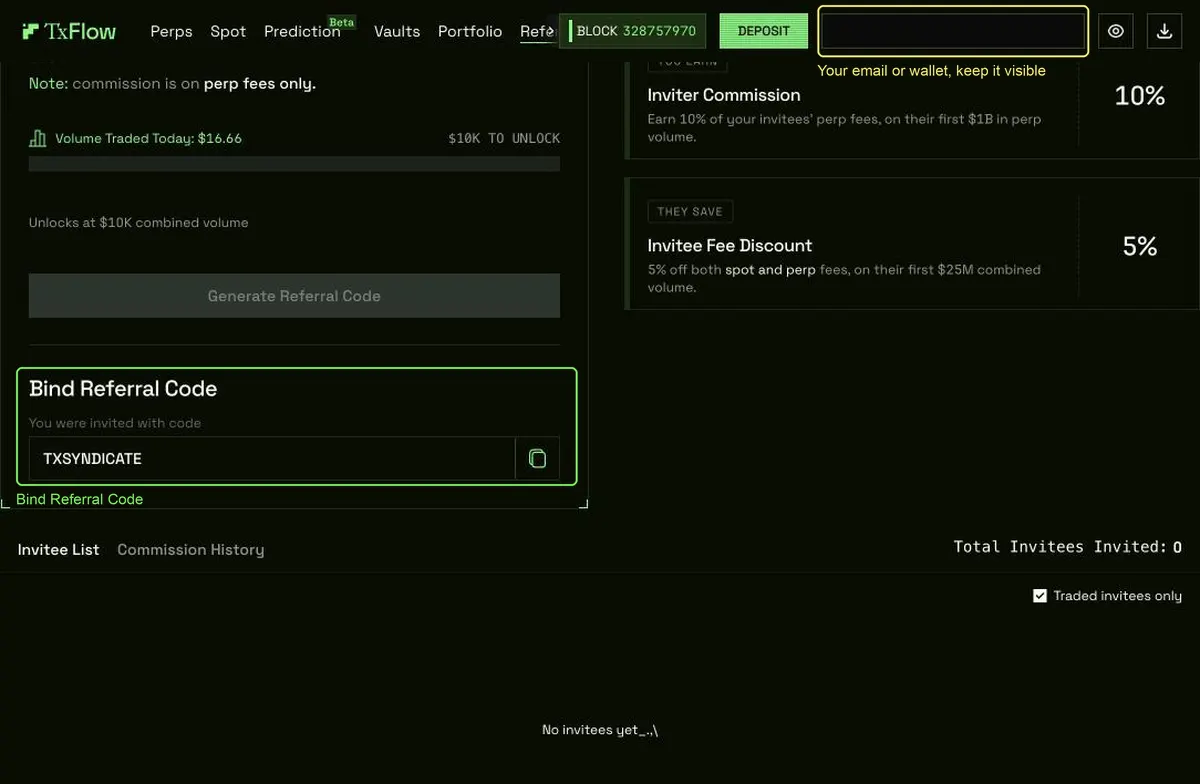
- Open Referral in the top menu and scroll down to "Bind Referral Code". It shows "You were invited with code TXSYNDICATE" and stays there for the life of your account
what to submit:
- One screenshot of the Referral page on TxFlow, scrolled to "Bind Referral Code", with TXSYNDICATE in the code field and your email or wallet label at the top right fully visible, not cropped and not blurred
- Optional second screenshot: your Portfolio page, which shows your account address (0x...) at the top left. It helps us match your trade quests later
already have a TxFlow account?
- If you signed up earlier without a code, open Referral and look at "Bind Referral Code". If TxFlow still lets you enter a code there, bind TXSYNDICATE and submit that screenshot
- An account already bound to a different code cannot be approved for this quest. The campaign is for accounts that join through TXSYNDICATE
how we review:
- The code field has to read TXSYNDICATE. A different code, an empty field, or the "Get your referral code" box alone is a rejection
- The welcome popup on its own is not enough, it only shows once. The Referral page is the proof we check
- Your email or wallet label at the top right has to be completely visible and readable. Do not crop it and do not blur it. It is how we tell one account from another, a cropped or blurred label is a rejection
- One TxFlow account per Zealy account. The same account showing up in two Zealy accounts fails both
- Use this same account in every TxFlow quest of this campaign
- Fake or edited screenshots are rejected and count as a strike
File upload 0/1Task 1