
Explore & Save the TxFlow Drop in the Syndicate App
Cooldown period: NoneNone
Rewards
All
100Find the TxFlow activity inside the Syndicate app and save it as a Drop. A saved Drop stays in your list so you can come back to the guide and get its updates while the campaign runs. Only the mobile app and the desktop app count for this quest, the web app opened in a browser does not.
how to do it:
- Download the Syndicate app
- Create an account or log in
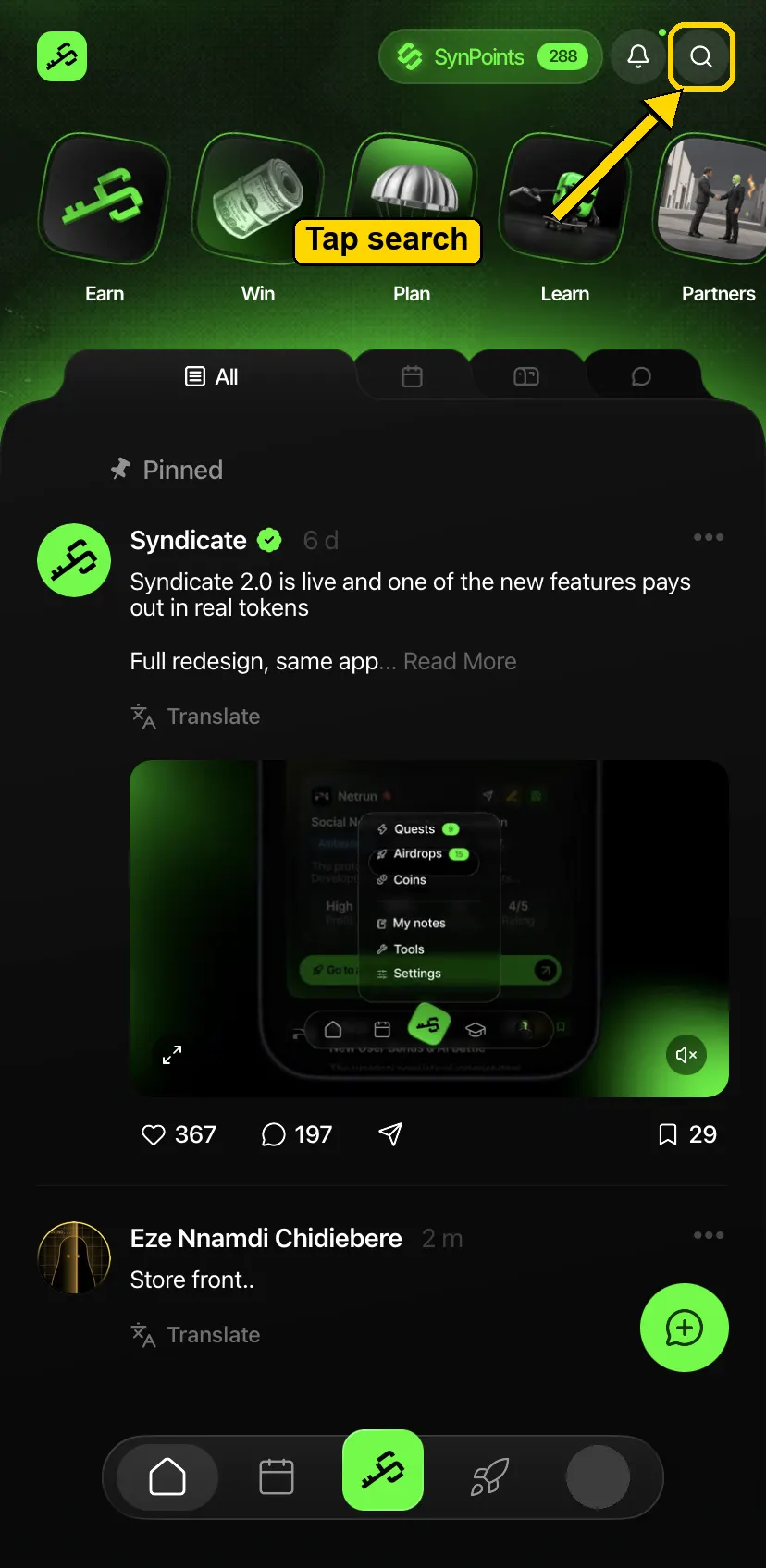
- On the home screen, tap the search icon at the top right
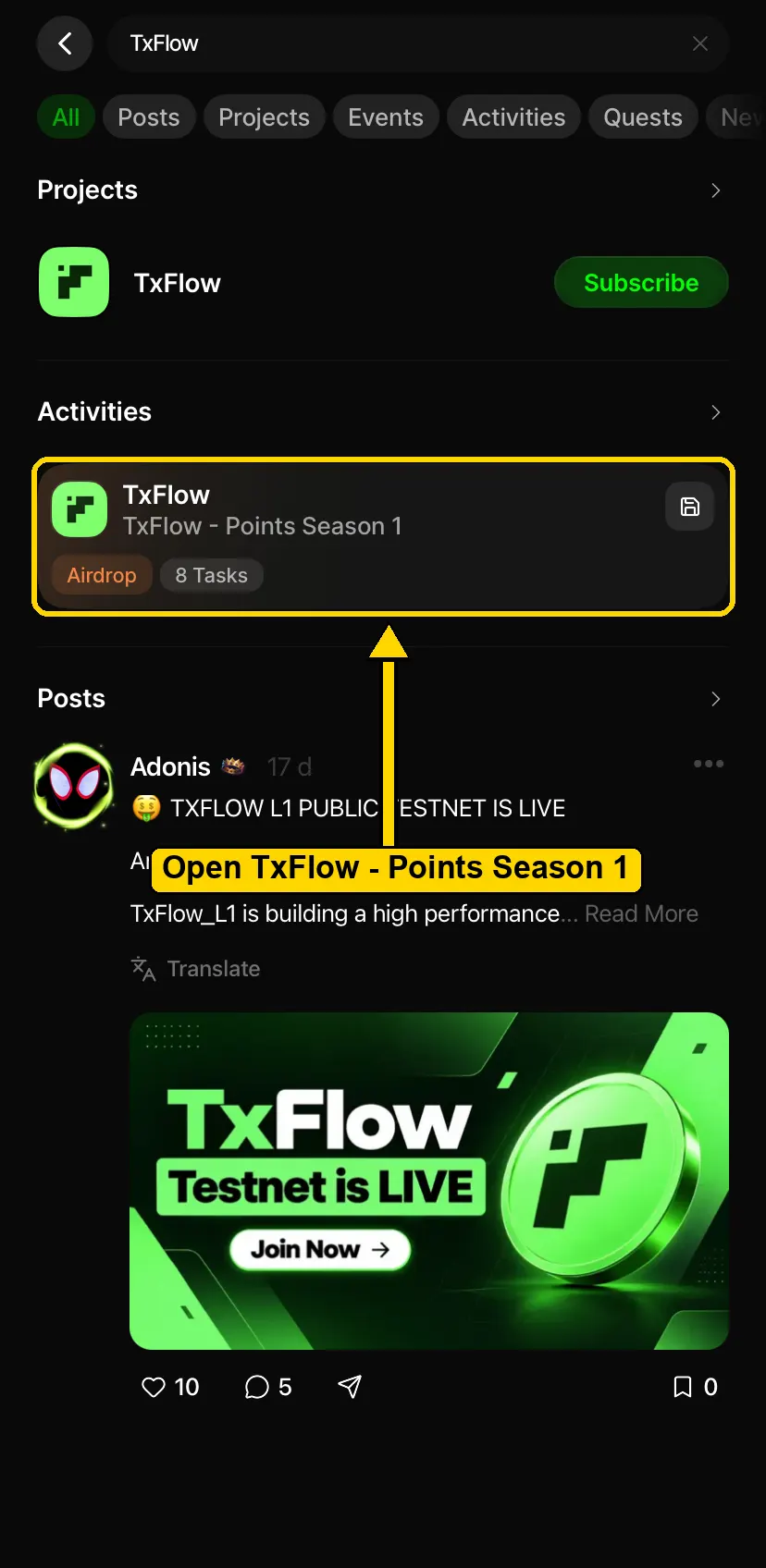
- Type "TxFlow" and open "TxFlow - Points Season 1" under Activities
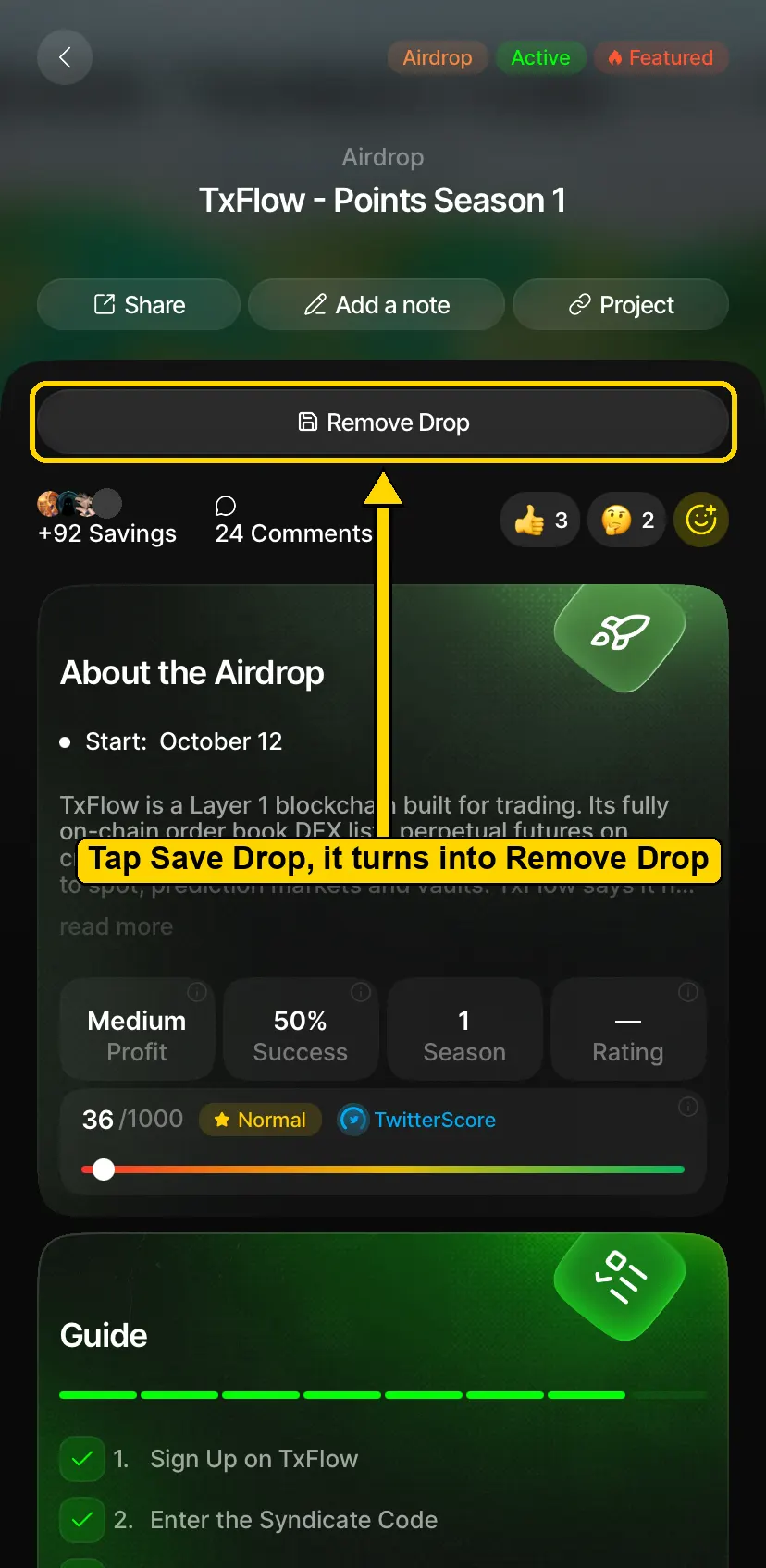
- Tap "Save Drop" under the title. The button turns into "Remove Drop", which means the Drop is saved. Do not tap it again, that removes it
- Scroll down to Guide and read the steps, from sign up and the Syndicate code to your first trade and the Points dashboard. The rest of this campaign follows the same steps
what to submit:
- One screenshot of the "TxFlow - Points Season 1" page in the Syndicate app, with the button reading Remove Drop
how we review:
- The title "TxFlow - Points Season 1" and the "Remove Drop" button both have to be in the screenshot
- A button that still reads "Save Drop" means the Drop is not saved, and that is a rejection
- A browser address bar or browser tabs in the screenshot means the web app, and the web app is rejected
- The app store page is not proof
- Fake or edited screenshots are rejected and count as a strike
File upload 0/1Task 1